
11 elements of a flaming-hot blog template.
When I start working with a new client, I almost always get them to change their blog template.
Why? Because packaging matters (and theirs often sucks).
When a reader makes a search and lands on your blog...in 0.00001 seconds they make a judgment:
To trust, or not to trust?
All they see: the page design.
As they continue to read, the template will either improve their navigation of your content or do very little to help.
In today's newsletter, I walk you through the all elements I request are added to my client's blog design.
Two weeks ago I promised:
1. Graphic design checklist (find it here)
2. Content design checklist (find it here)
3. Blog template design checklist (today!)
4. SEO design checklist (soon!)
So let's get right into week three: my blog template design checklist.
My SEO Blog Template Checklist
11 Rules to Follow
✅ 1/ Image
A big header image lets you grab attention from the off.

Reader my micro-guide for header images in this article.
✅ 2/ Authorship
This element improves credibility and trust. Google is always increasing its understanding of authorship and expertise, so declaring the author is becoming critical.

This is especially important when:
- You're an expert and want to show that off.
- You're building a personal brand or consulting business.
- You work in YMYL spaces—where expertise is more than critical.
✅ 3/ Navigation
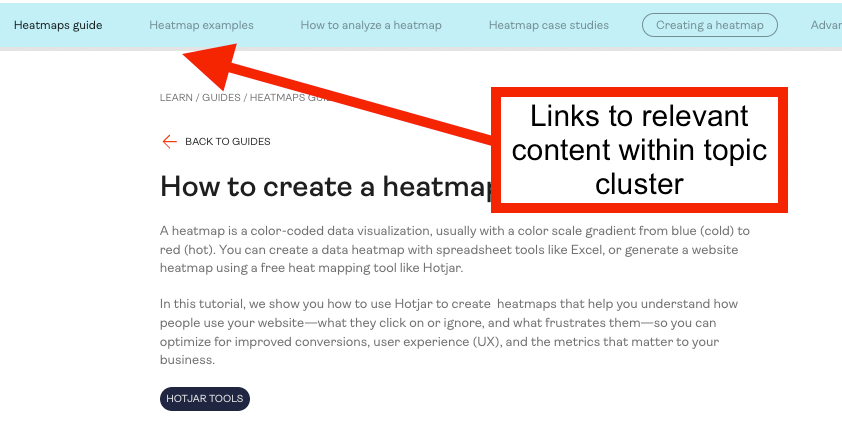
Custom navigations help the reader discover other relevant content on a topic. These work especially well if you build in tight topic clusters.
For example, take a look at Hotjar's guides:
WhatFix also does this really well:
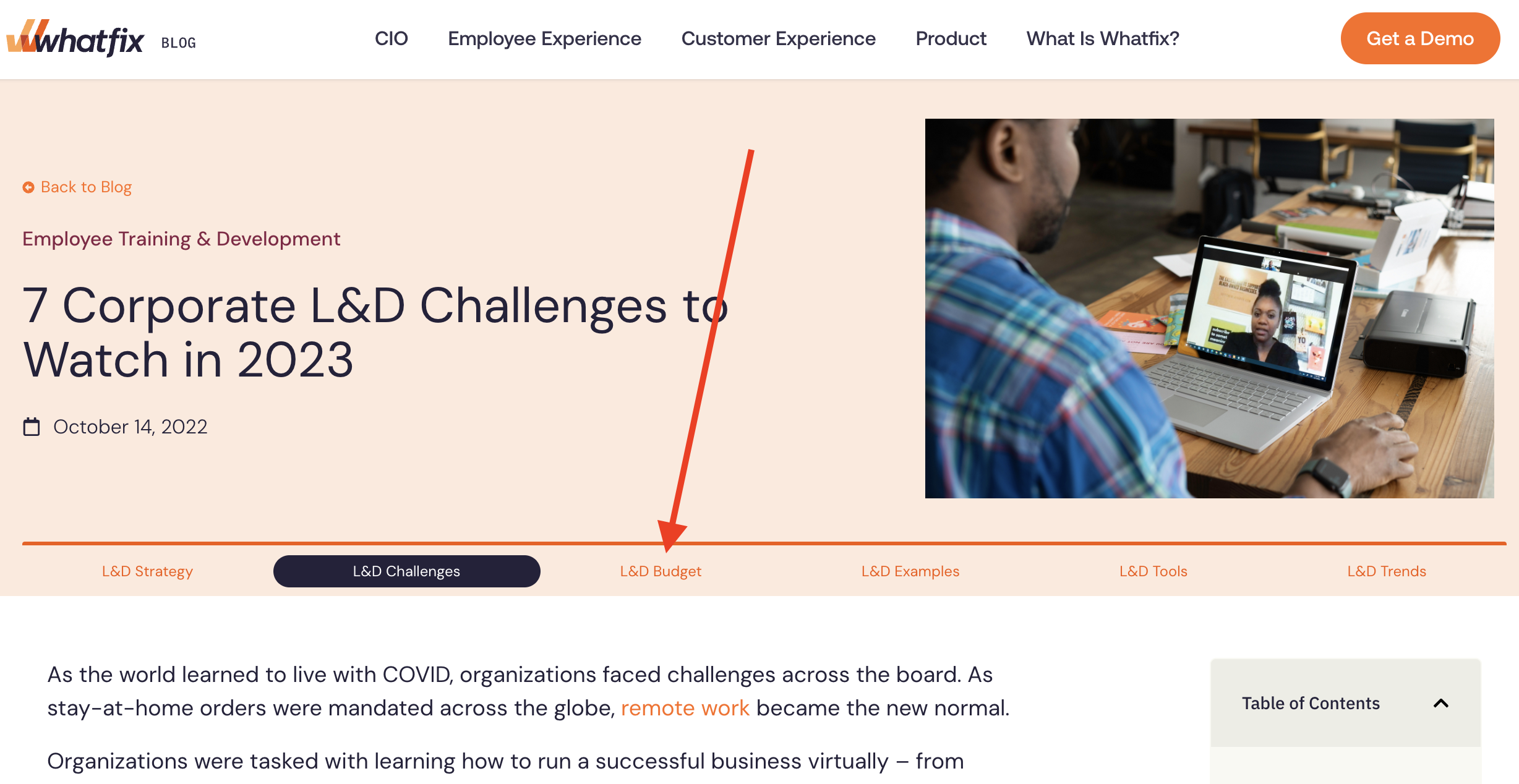
The great thing is, you can build a template like this once and reuse it forever.
If you haven't built in clear clusters, I recommend, at minimum, including breadcrumb links to the overall topic.
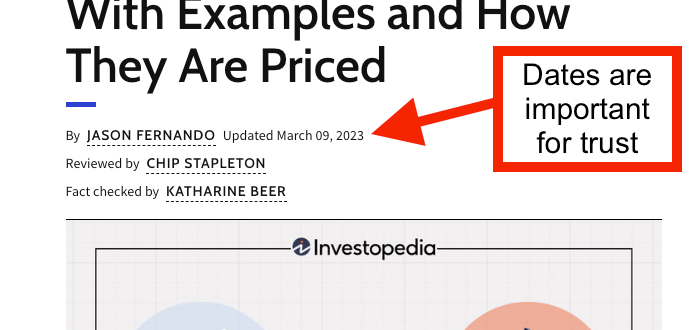
✅ 4/ Published date & Updated date
Published and last updated dates are one of those things you don't notice til it's gone.
It's key information about whether you can trust a piece—especially if it's timely.
✅ 5/ Table of Contents
This element improves accessibility to the content and can help rankings as a result.

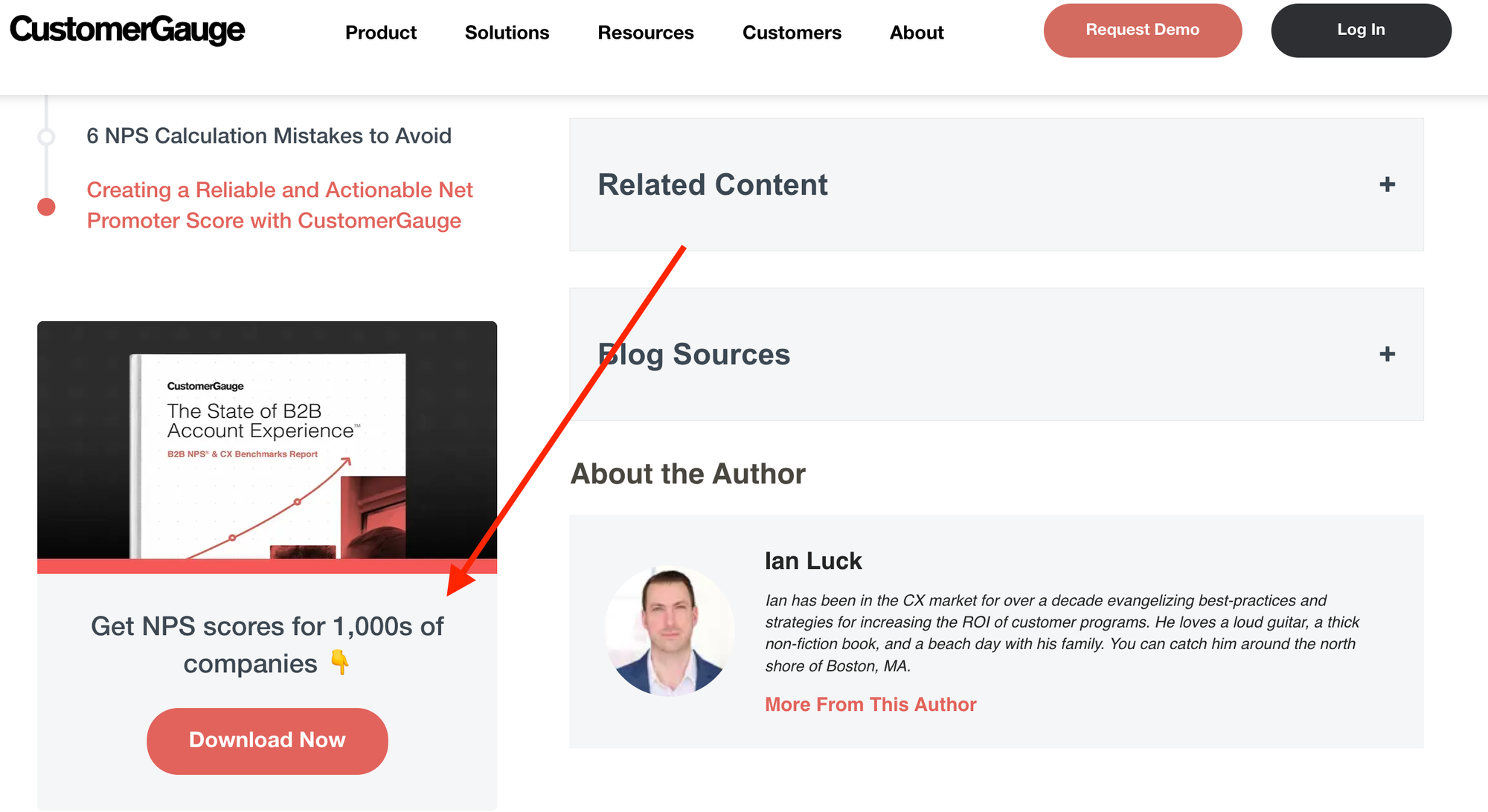
✅ 6/ Always “On” CTA
This element improves conversions and raises awareness for your services (without us always discussing them in the blog content).

If your goal is eBook downloads/higher-funnel leads, you can use this CTA spot to advertise your downloadable.
That was the approach we took at CustomerGauge:
✅ 7/ The Funky "Call Out"
This one is a personal preference but I feel they add a lot of value.
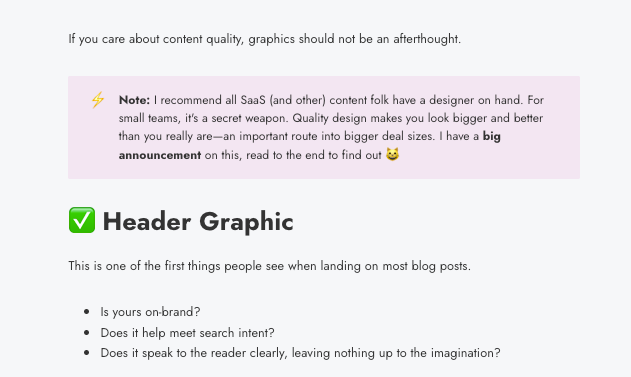
Call outs...
...are a way to break reading flow to add a sidenote or a definition. They highlight key information and just "feel" special.
✅ 8/ Mobile Friendliness
Does all of the above look super slick on mobile as well as desktop?
- Full width
- Readable font size
- Readable font colour
✅ 9/ Dedicated FAQs section
This is a dream if you can get it right. Instead of trashing your content with 7 FAQs shoved on the end, add a dedicated section for them.
Here's an example from Hotjar:
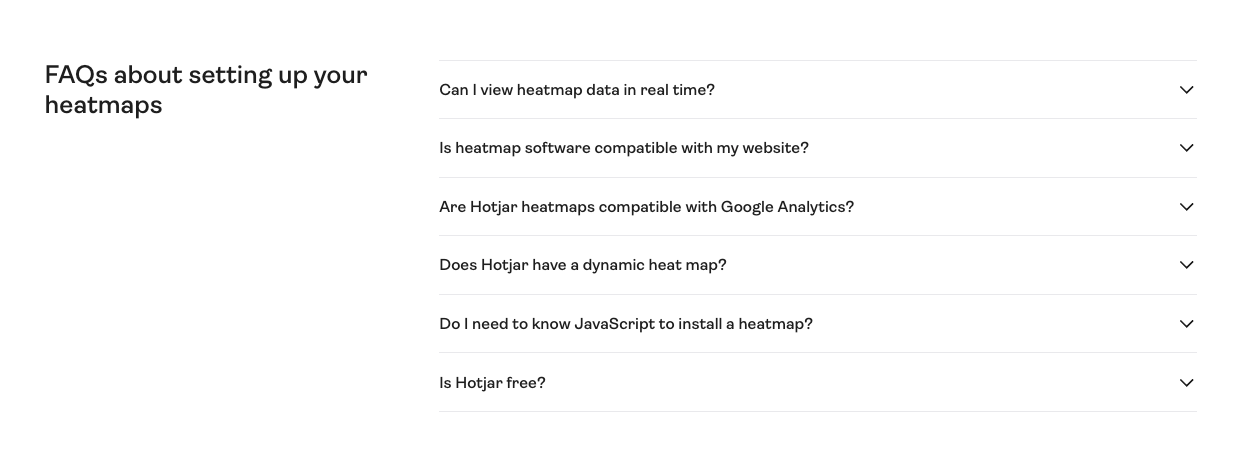
Canva also do this well.
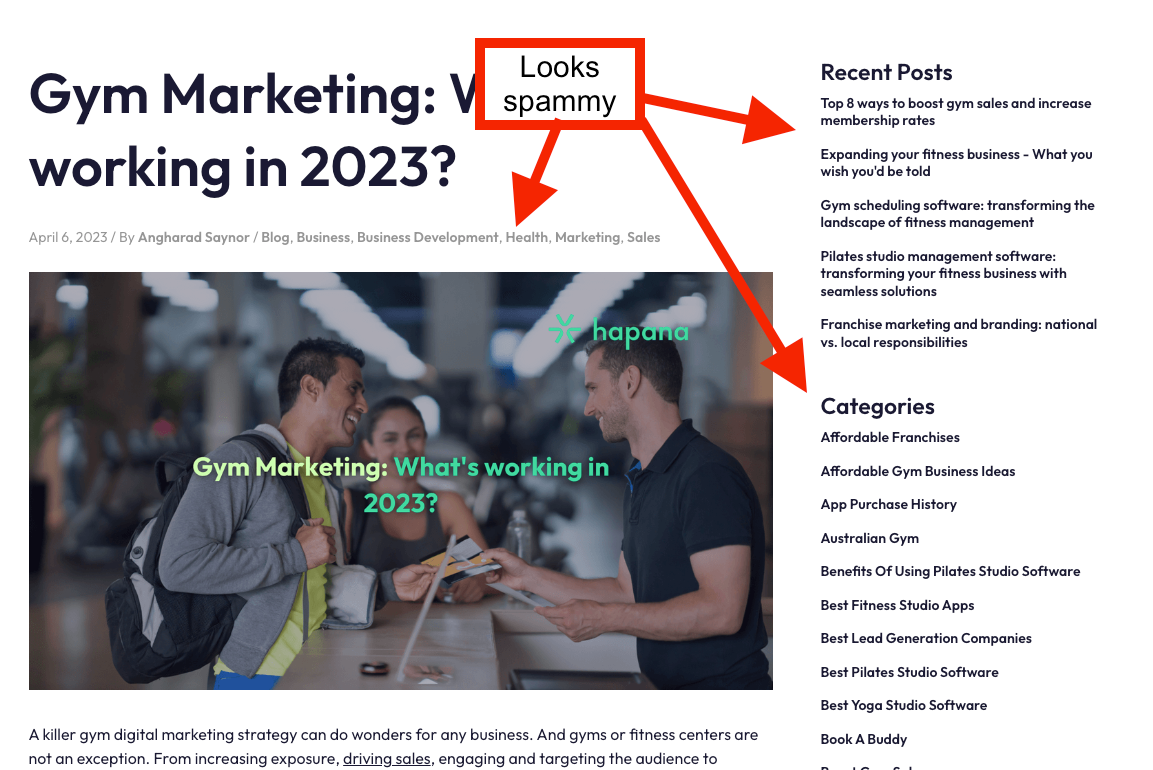
✅ 10/ Remove the Cr*p
You should also remove all the spammy stuff that frequently comes in blog templates.
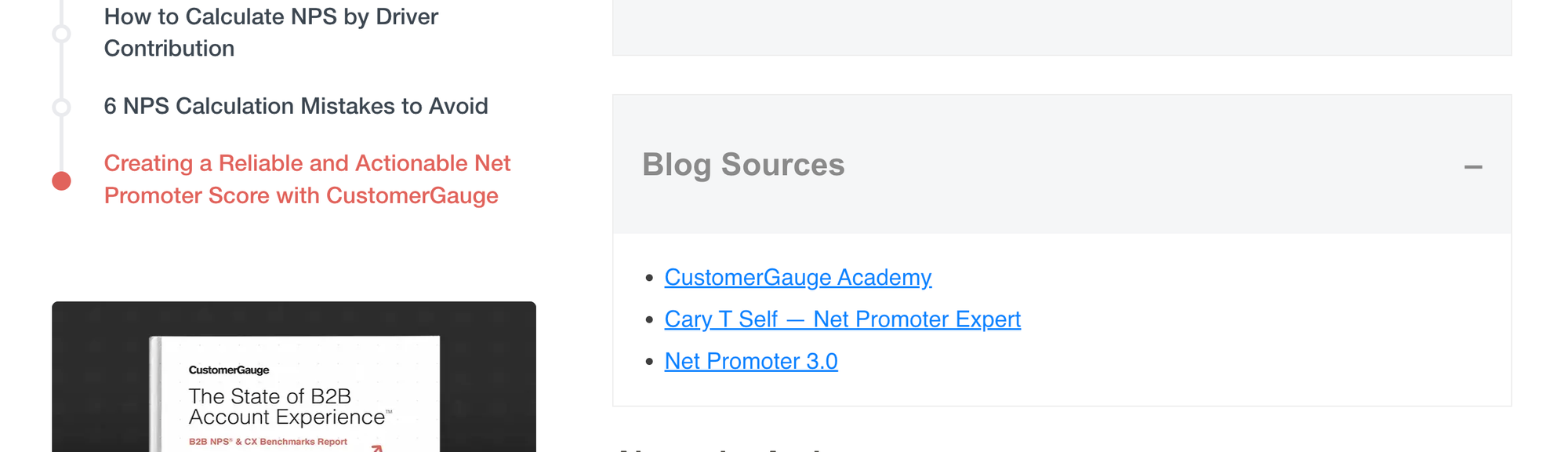
✅11/ Sources
I find quoting sources really important for trust and credibility. However, you don't always want to bombard the reader with in-content links.
A dedicated "sources" section solves this problem.
Additional Template Design Tips
✅ Create your template to reflect your brand (elements, colours, etc.)
✅ Avoid confusion. Reduce and simplify where possible.
✅ If you don't have an eye for design...ask your non-marketing family members what they immediately think/feel when looking at your blog design.
Want more from me?
Check out this feedback for my monday.com case study:
"Went through the Monday case study. It was just brilliant! I think it's impossible to find such information anywhere else on the internet lol."
I have 30+ SEO case studies like this. Unlock them all for £17 here.
I also continue to get incredible feedback for my guide "How to Produce Content at Scale".
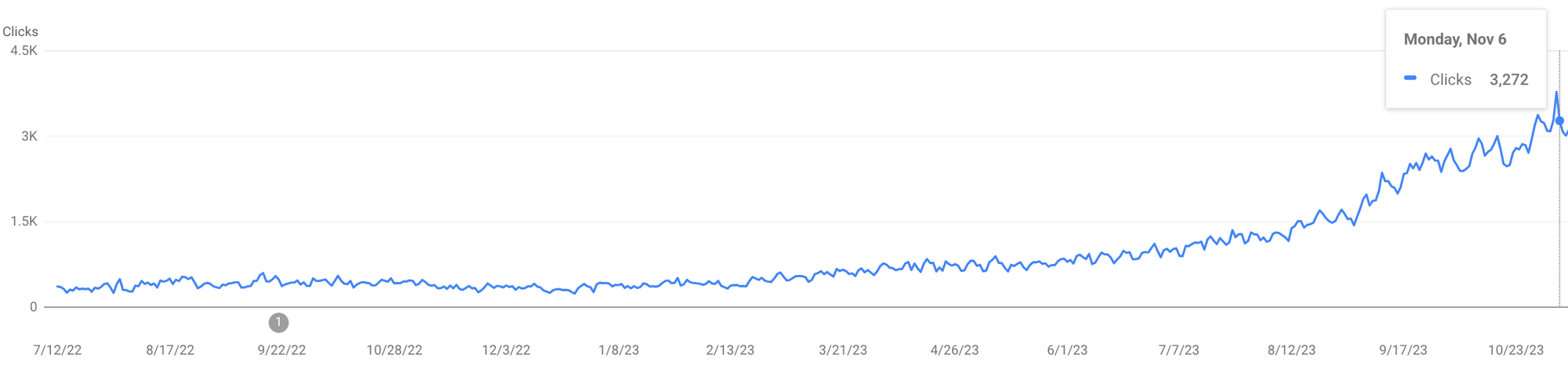
I grew my client's site from 5K to 90K visitors/month in 7 months using the system and SOPs shared in that guide:
Read the reviews and more about the guide here.
Grab a 10% discount with this code: FRIENDS10
Thanks for reading.
—Benny