

This is my simple yet powerful Google Sheets Content Tracker.
Hey Premium subscriber,
It's easy to overcomplicate your content operations with overly advanced tracking and reporting tools.
But if you're running an in-house content operation with fewer than 10 articles per month, I'd recommend keeping things simple.
That you?
If so, I've put together this Google Sheets template for you to use—especially if you're still keeping track of things in your head, this should make your life a little less overwhelming.
Here's how to use it:
1/ Track Content Production As It Happens
On tab one is your content tracker.
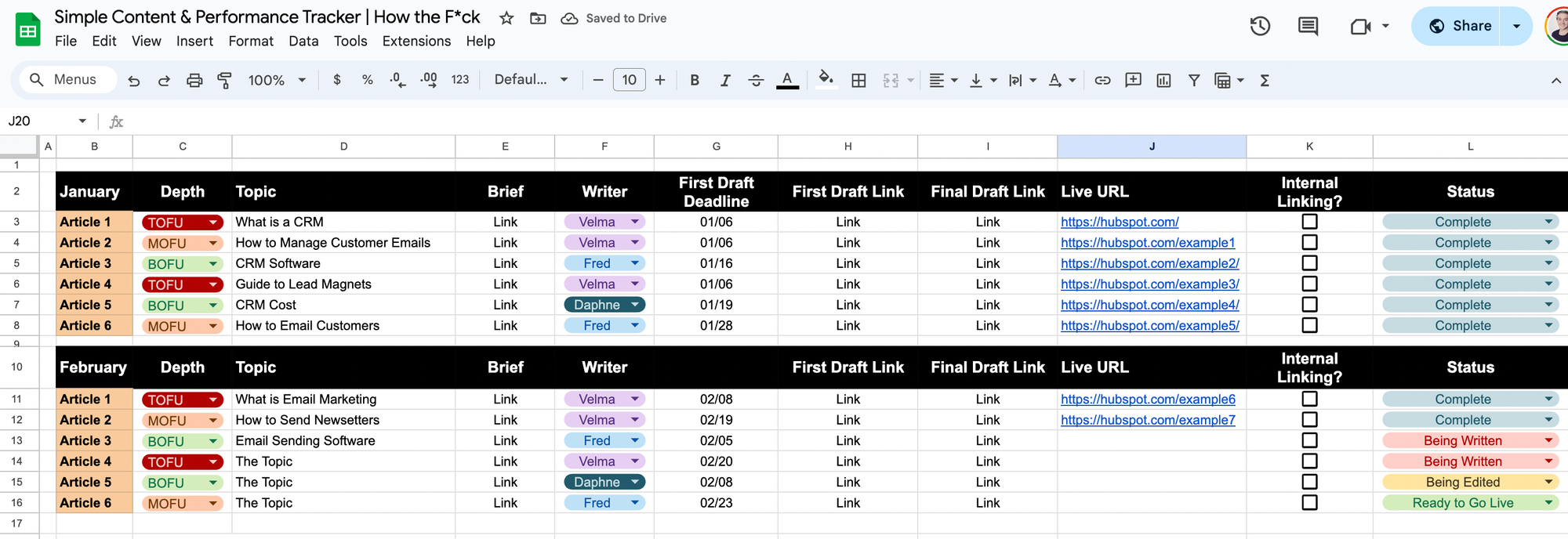
When you plan content for the month, simply fill out the columns for each article.
- "Topic" = The topic of the article.
- "Brief" = A link to your content brief, so your writers can access it easily.
- "Writer" = Tags your writer so they know that the article is for them.
- "First Draft Link" = Where your writer drops the first draft.
- "Final Draft Link" = Where your editor drops the edited final draft that's ready to go live.
- "Live URL" = Once you publish an article, paste the URL here. This is key for step two.
- "Status" = Must be updated by everyone in your operation who makes a change. This allows everyone to quickly spot their tasks.
- "Internal linking" = My encouragement to internal link every article.
As easy as that, you now know:
- What's in the pipeline for the month
- Where content is
- Who's in charge
2/ Track Content Performance
It's so easy to publish and forget content.
But what about the content that still gets zero traffic after 3 months?
And what about monthly reporting? You want to know how much new content is contributing to your traffic growth, right?
Well, the template offers a simple solution.
At the end of each month, export Google Search Console clicks/impressions and paste them into the tab of that month, e.g. "January Search Console".
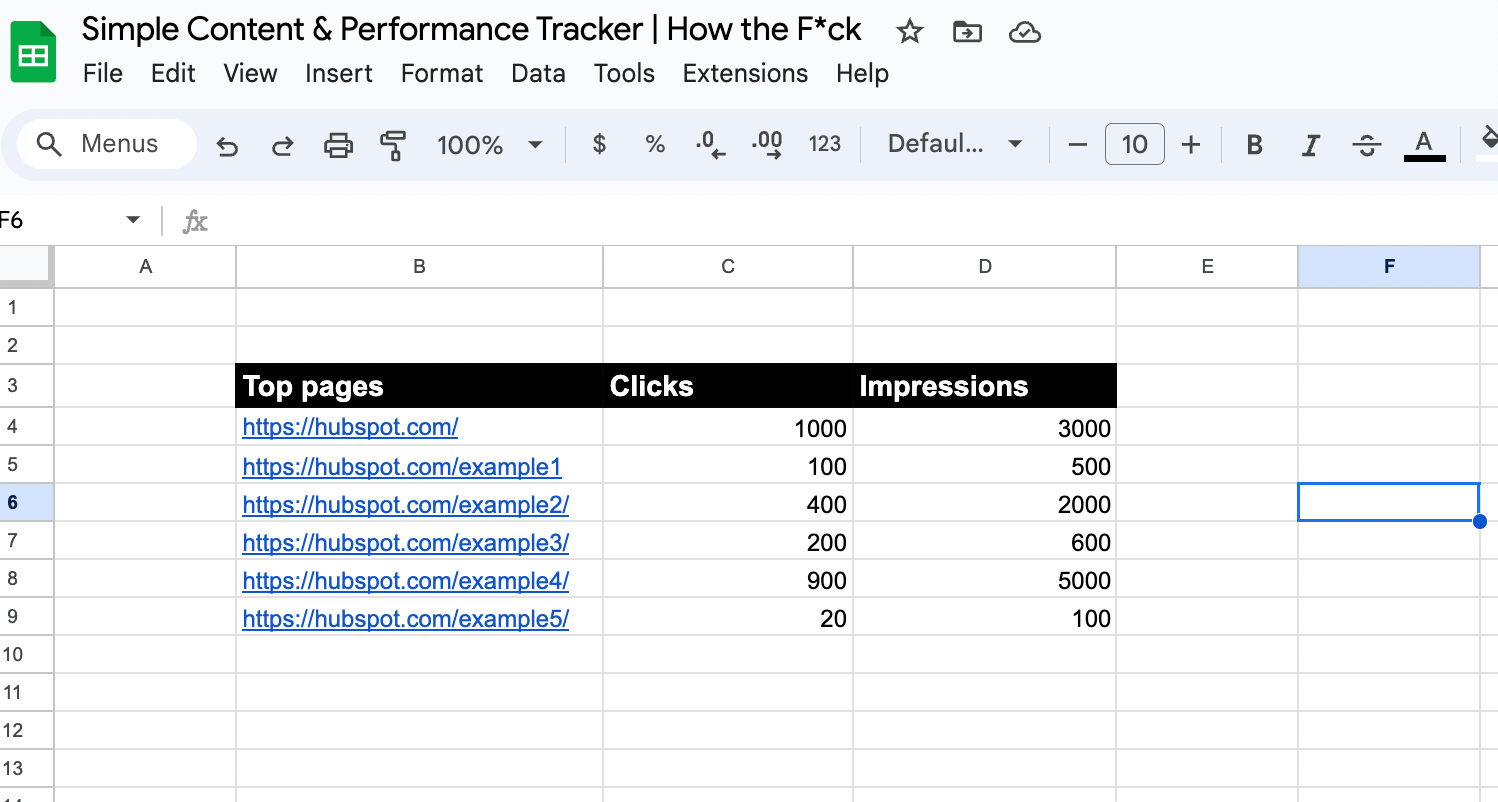
When you do this, another tab, Tab 2 "Performance Tracker", automatically appends the data to your content tracking information:
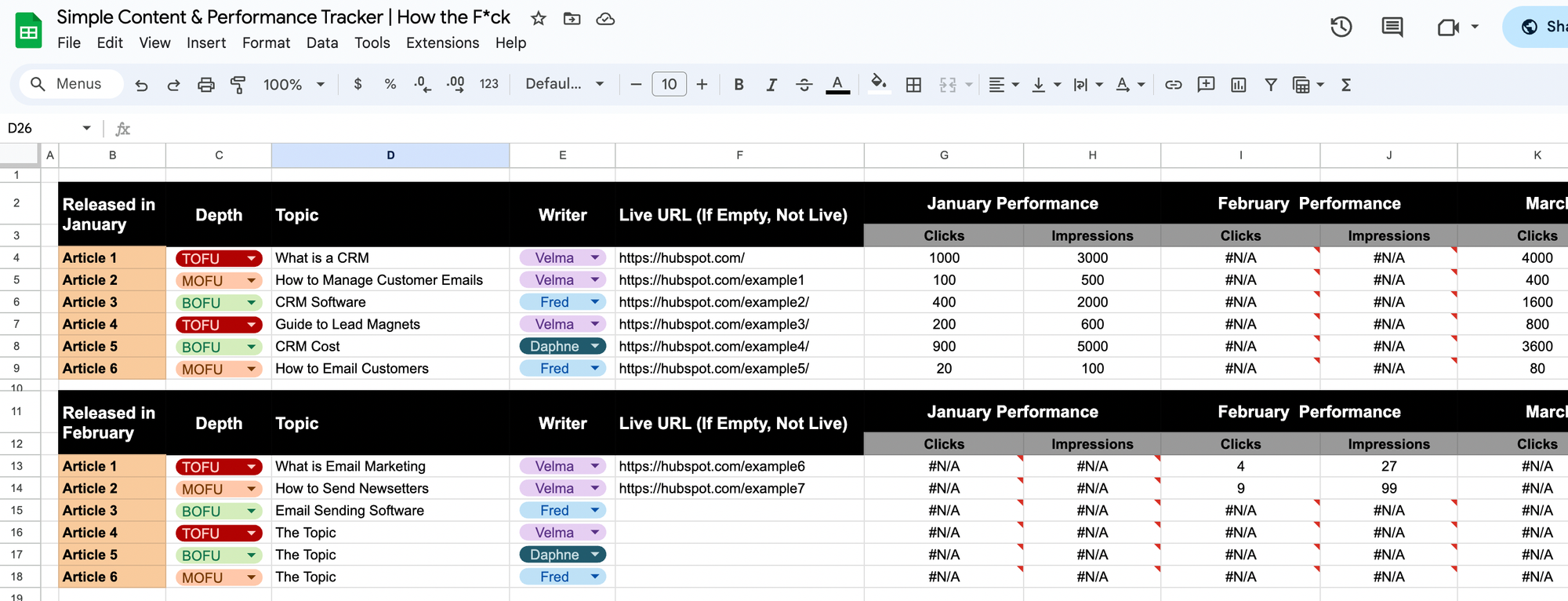
Now you have an iterative tracker that tells you:
- How quickly content performs (the delay is key to report on - it's good for projections if you know that content released in January typically takes three months to earn traffic).
- How impactful the content from each month was (e.g. January content gets 4,000 traffic per month in December).
- You have an idea of the funnel depth and writer, and you may spot patterns in the traffic-writer relationship.
Hope you have fun playing around with this one!
Cheers,
Ben
P.S. Find 52 more premium articles & templates here.